What are flight deals?
These are non-changeable and non-refundable fares, that companies buy in bulk directly from airlines. The rates of these fares are mostly cheaper as compared to live flights. These are also named fixed departures, series fares, pre-purchased fares and group bookings.
You will be getting rates of these flight deals via Maya Travels, along with this you have a great platform to sell your own flight deals too.
# Steps to add your own inventory for fixed departures:
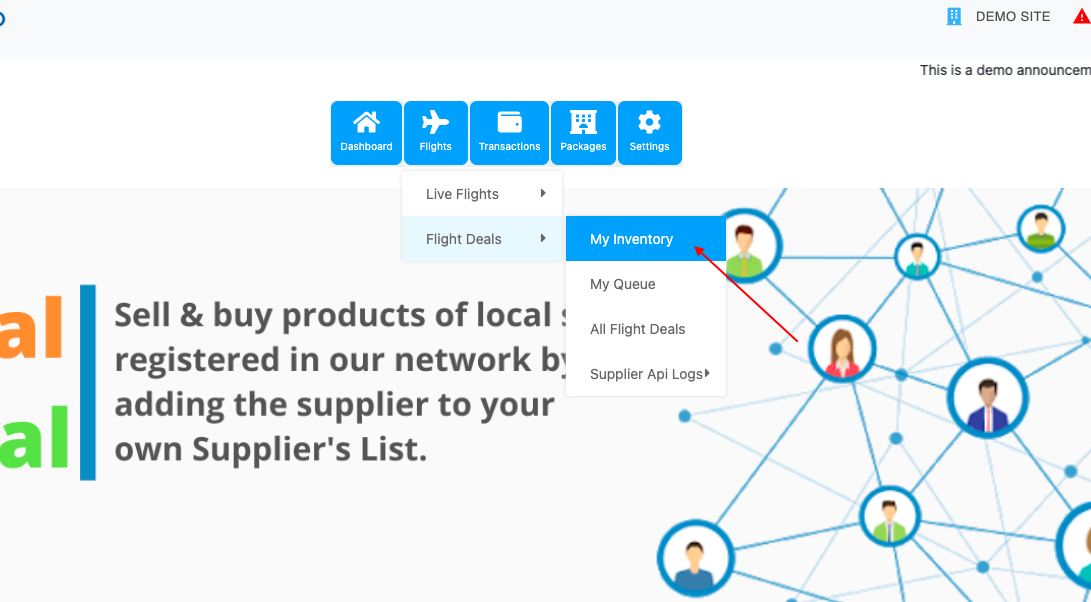
- Go to the dashboard of your site, then flights>flight deals>my inventory.
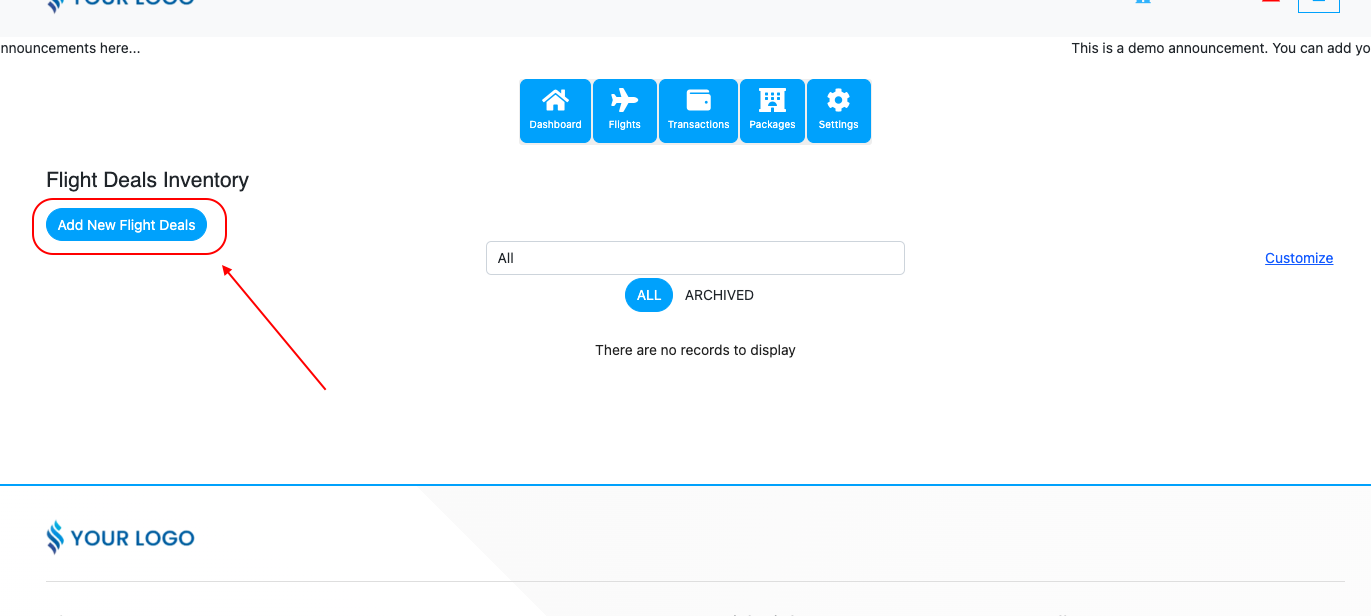
- Then click on “Add new flight deals”.
- After that, a form will open and you need to fill it and click on save.
If you have PNR, it can be booked online otherwise your customer can do an enquiry for that fixed departure.
Plus, the fields with a star on the corner are mandatory to fill out.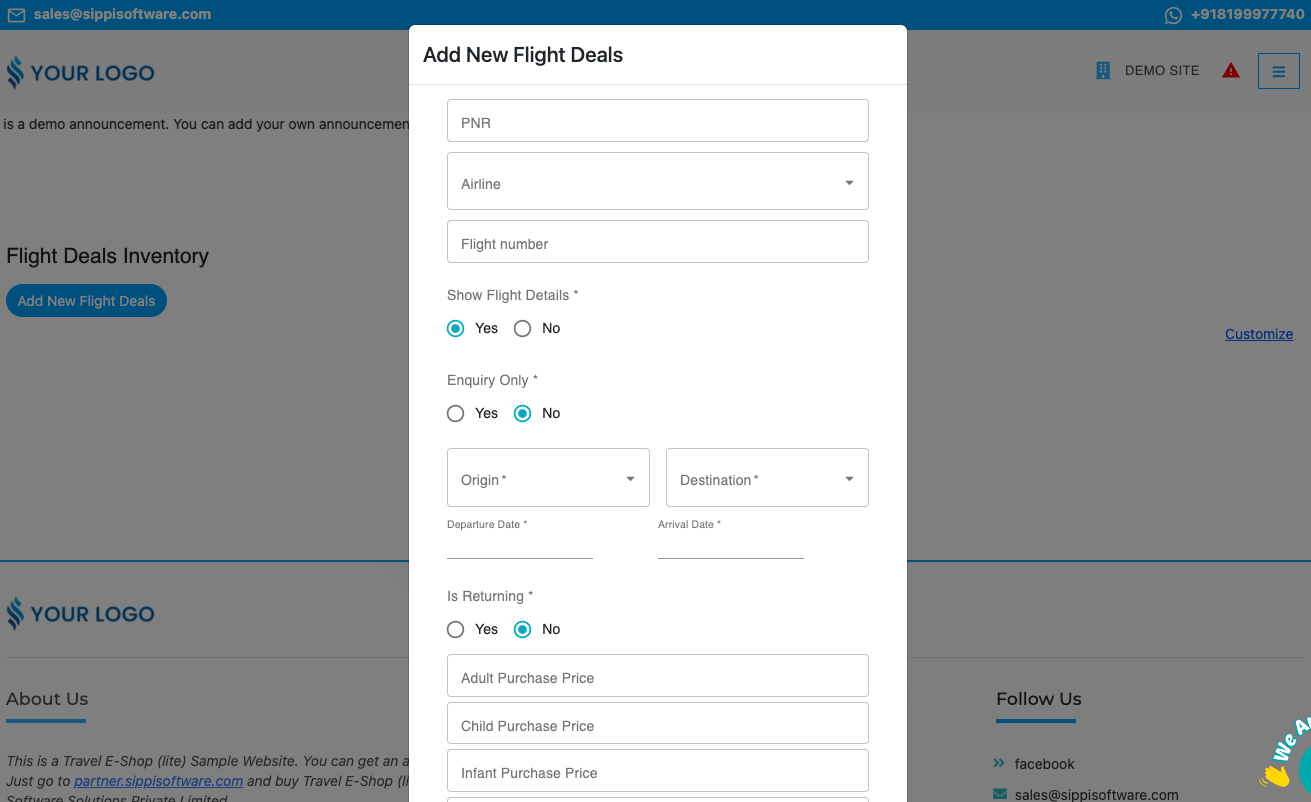
# Managing inventory: On my inventory page you will have the following options:
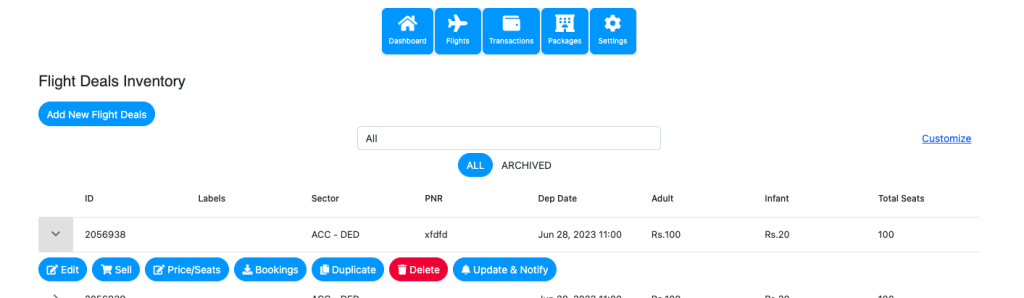
● Edit: From here you can change the details of the fixed departure that you added.
● Sell: From this option you can sell TBA seats(only if you have mentioned the name due date while adding the departure).
● Price/Seats: You can change the price and seat count.
● Bookings: From the booking button, you can download the passenger Excel for the specific fixed departure.
● Duplicate: By selecting the date range you can duplicate the fixed departure with the same details(sector, price, time).
● Delete: When you click the Delete button, the series fare will be deleted(it will move to the archived section then).
● Update& Notify: After booking if any detail such as PNR, flight number, departure date & time, arrival date & time is changed, then you need to fill it in here and it will be automatically updated in the queue and mail will be sent to the customer who booked it.
# Queue for flight deals:
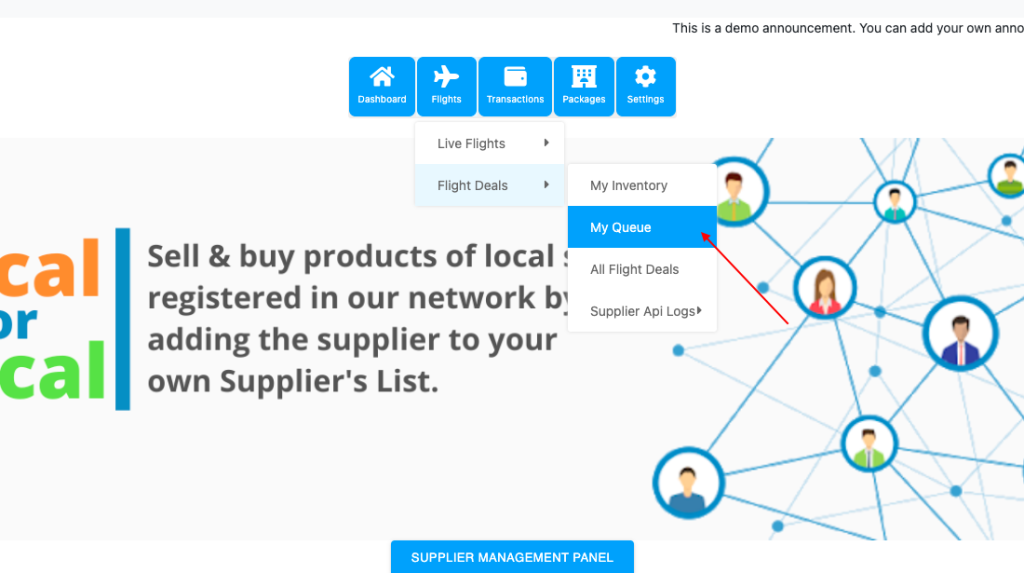
Dashboard > Flights > Flight Deals > My queue
All the flight deals that are booked from your site will be visible in this queue.
# Manipulating the price on ticket print of fixed departure:
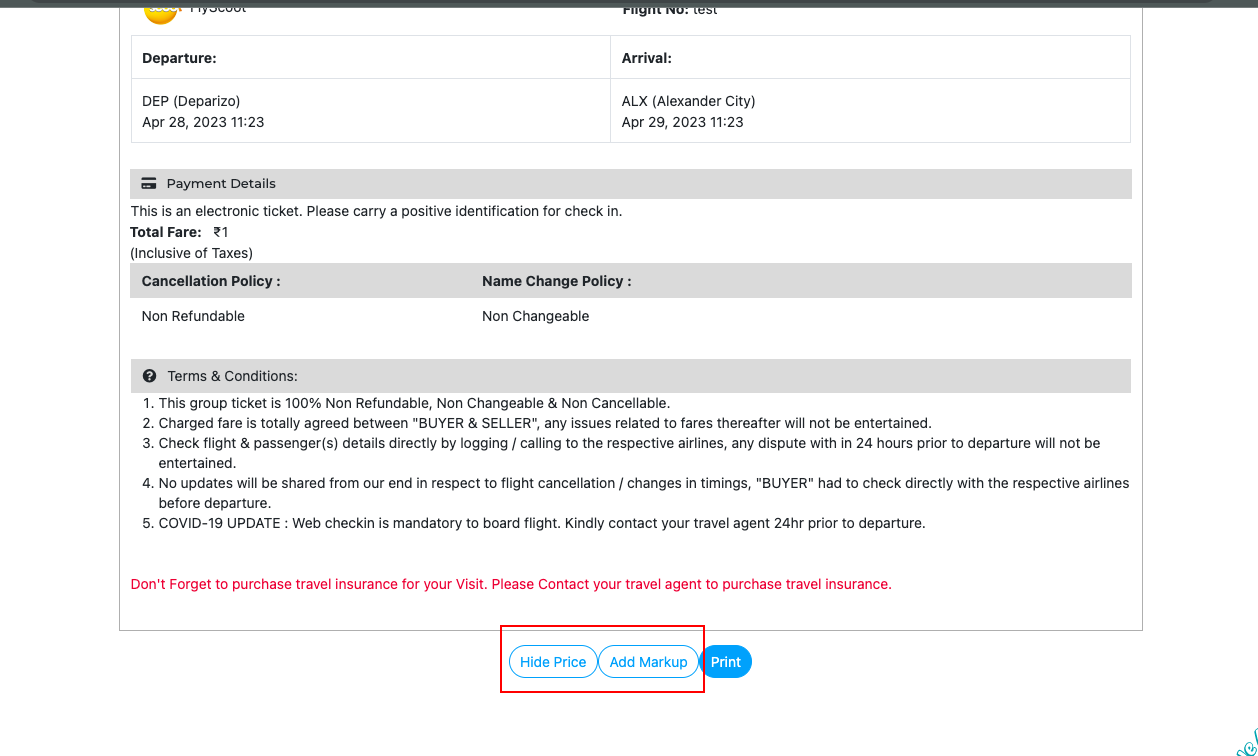
- Go to the flight deals queue, and click on the print of the ticket to manipulate the price.
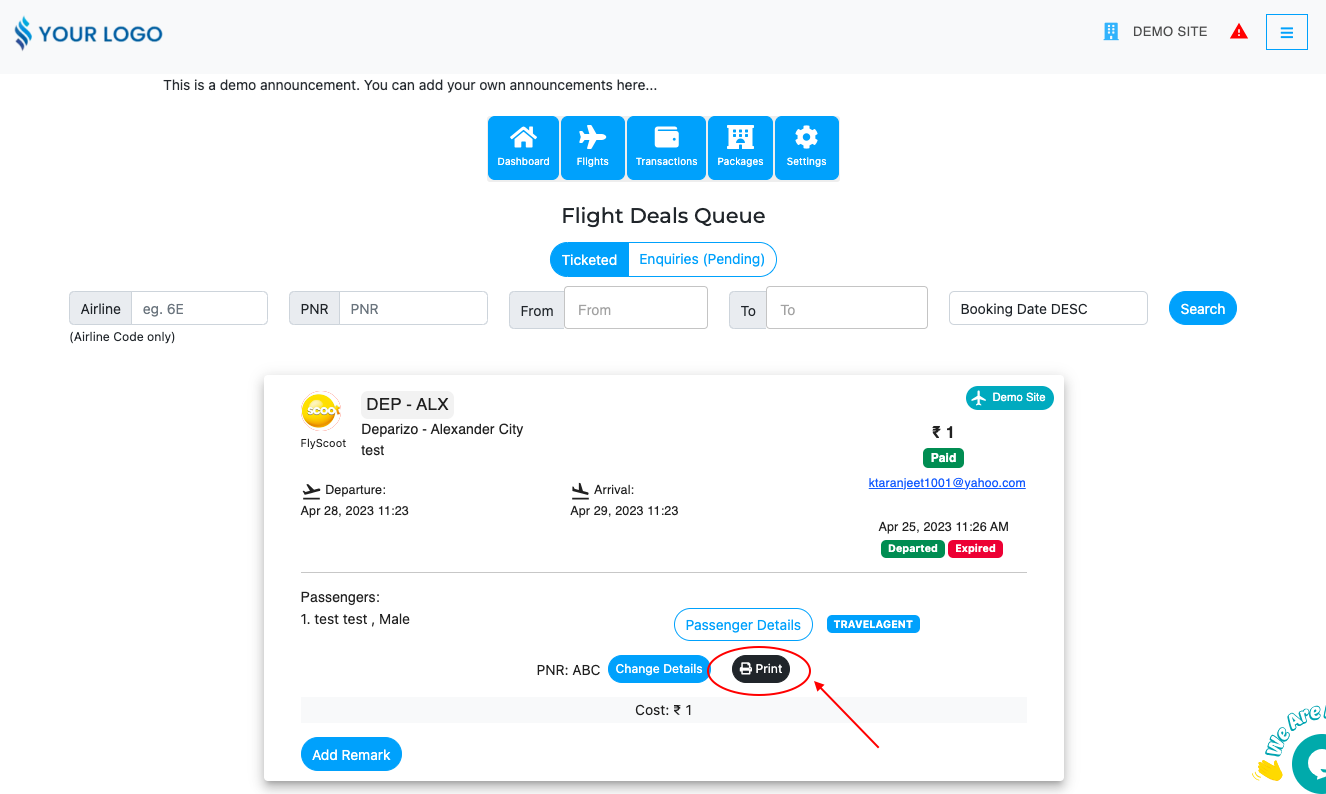
- On ticket print, you will see the option for ‘Hide price’ and ‘Add markup’. Add the value as per your requirements, click on save, and hence it will be changed.