Same as other modules, you will be getting inventory for holiday packages also from the supplier. Along with this, you can display your own inventory for packages too on your website. We, Travelwebsite.in, provide you with a platform for your own customized packages. Well, this article will enlighten you with the steps of adding your own tour packages on this site and how to manage them.
# First of all, steps to add a tour package on your site:
- Go to the admin login of your site.
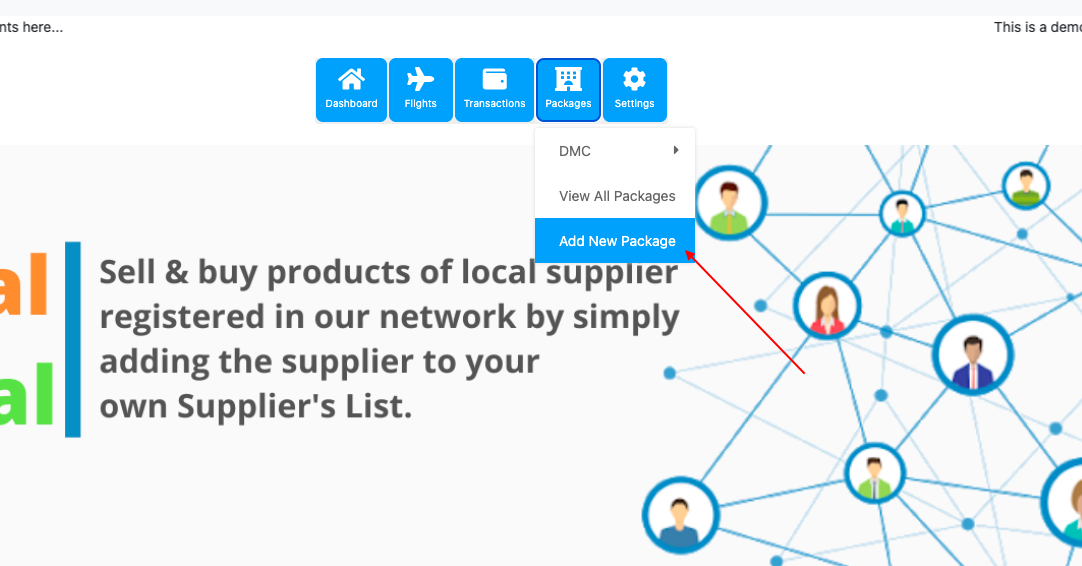
- Click on Menu > Dashboard > Packages > Add new package.
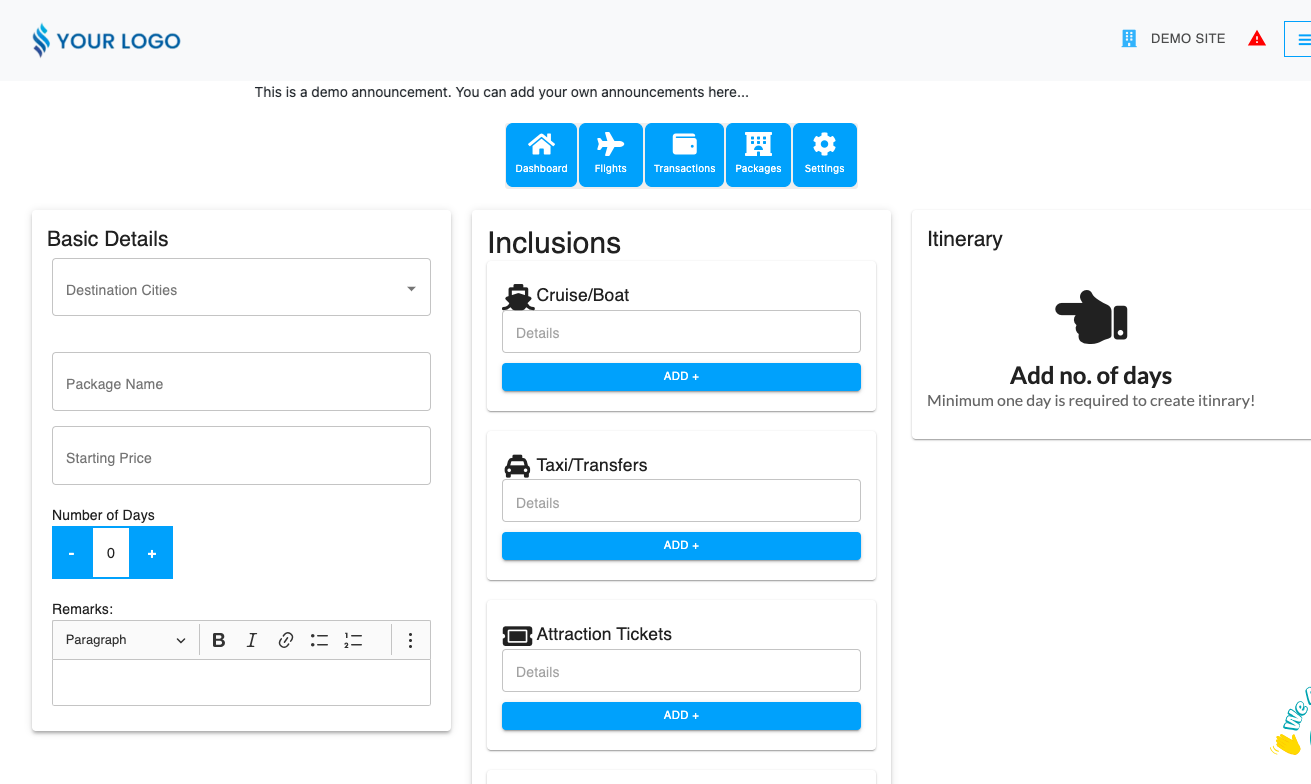
- You will land on this page, then you need to fill in the details as per the package and click on submit. Hence, the package will be saved.
# Adding images in the package:
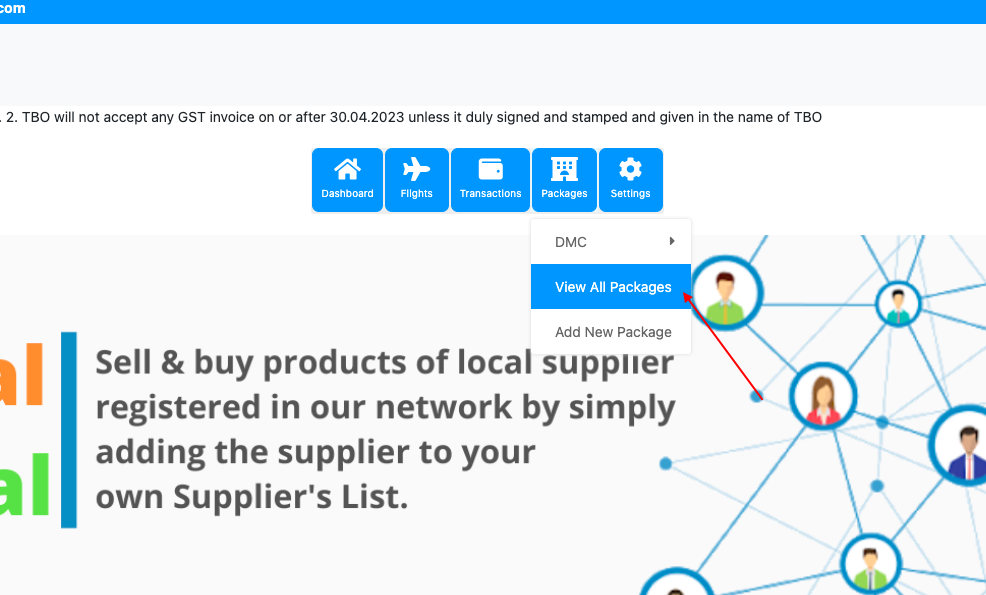
- Go to the dashboard then, click on All Packages from the Packages section.
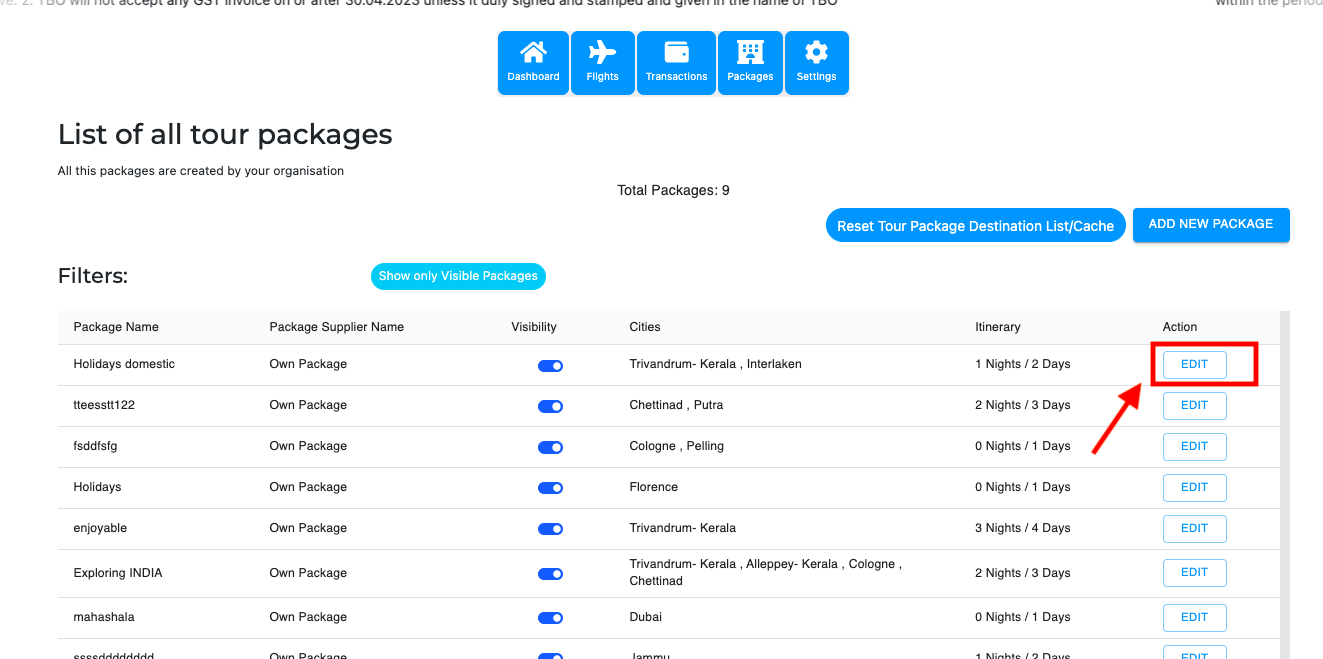
- This page will open up. After that, click on the ‘Edit’ option in front of the package where you want to add images.
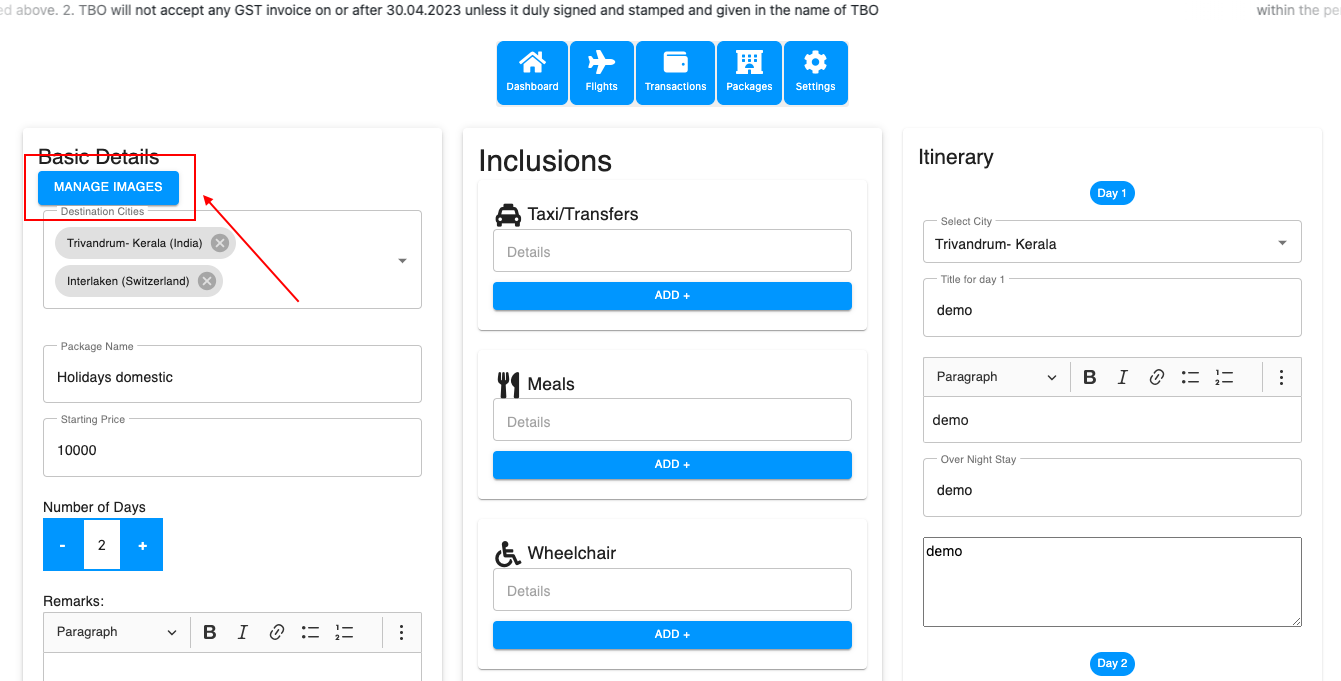
- Click on manage images and upload the images you wish.
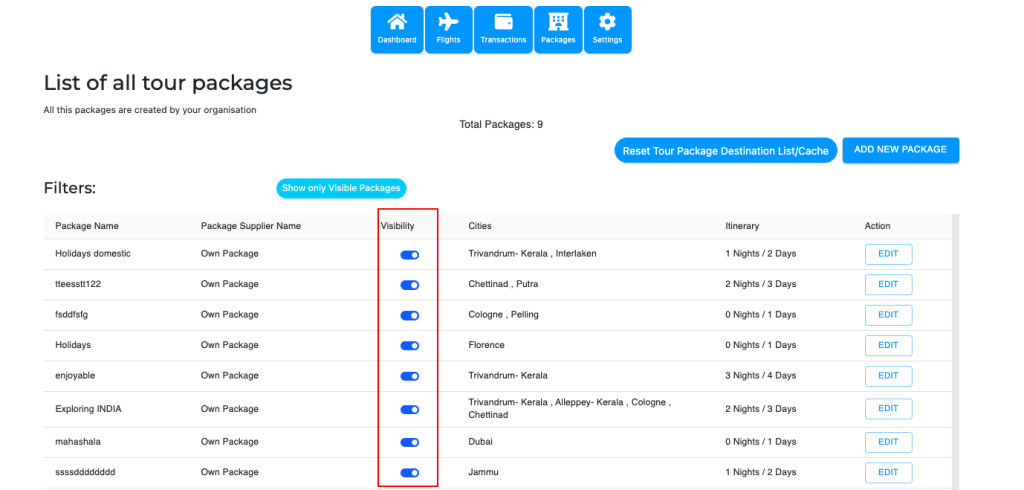
# Visibility of the package: You can manage the visibility of the package. For this, simply go to the all packages page, and change the visibility status. Refer to the image shown below.