

What branding of a website means?
Branding for a travelling website is all about creating a special appearance. It comes with a cool logo, beautiful colours and eye-catching text to make the site unique. It helps people to remember the site and make it outshine other sites.
No doubt Branding comes with a bulk of benefits like:
A tourism website’s branding improves recognition, builds trust and creates a unique identity. It helps to attract and retain clients, set itself apart from its competitors and build credibility. A strong brand promotes the long-term growth of the company.
After completing the purchase, DNS settings and SSL settings, you should consider making your website a little more appealing and adding information about your business.
This article provides a brief overview of your travel portal branding settings.
NOW, WHERE TO FIND THE OPTION TO DO BRANDING SETTINGS?
Firstly, login into the account from where you have purchased the travel portal, partner.sippisoftware.com
Then, go to the menu, and select the option of WEBSITE SETTINGS.
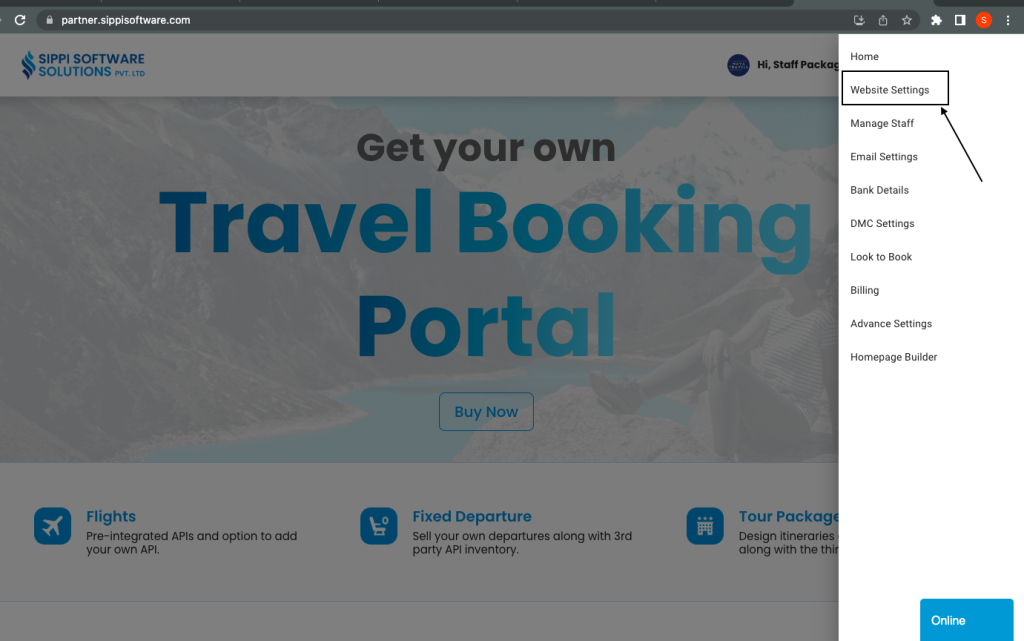
After clicking on website settings, this page will open:
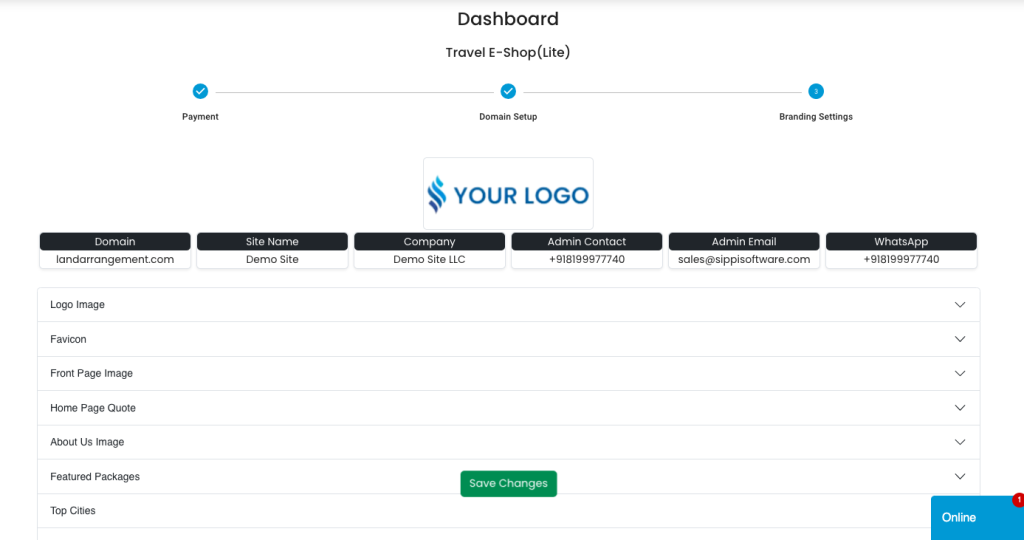
Branding settings are as follows:
- Logo image: You can upload the logo image which will be visible on the top left corner of your website.
- Fav icon: This is the icon that is visible in the browser tab.
Visible: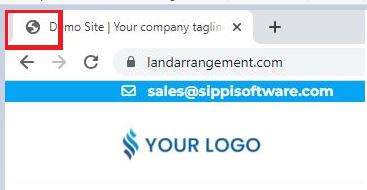
- Front page image: You can upload or change a front page image, this is the background image visible on the home screen.
- Home Page Quote: This is the main tagline that will be shown on the home page of your website.
Visible: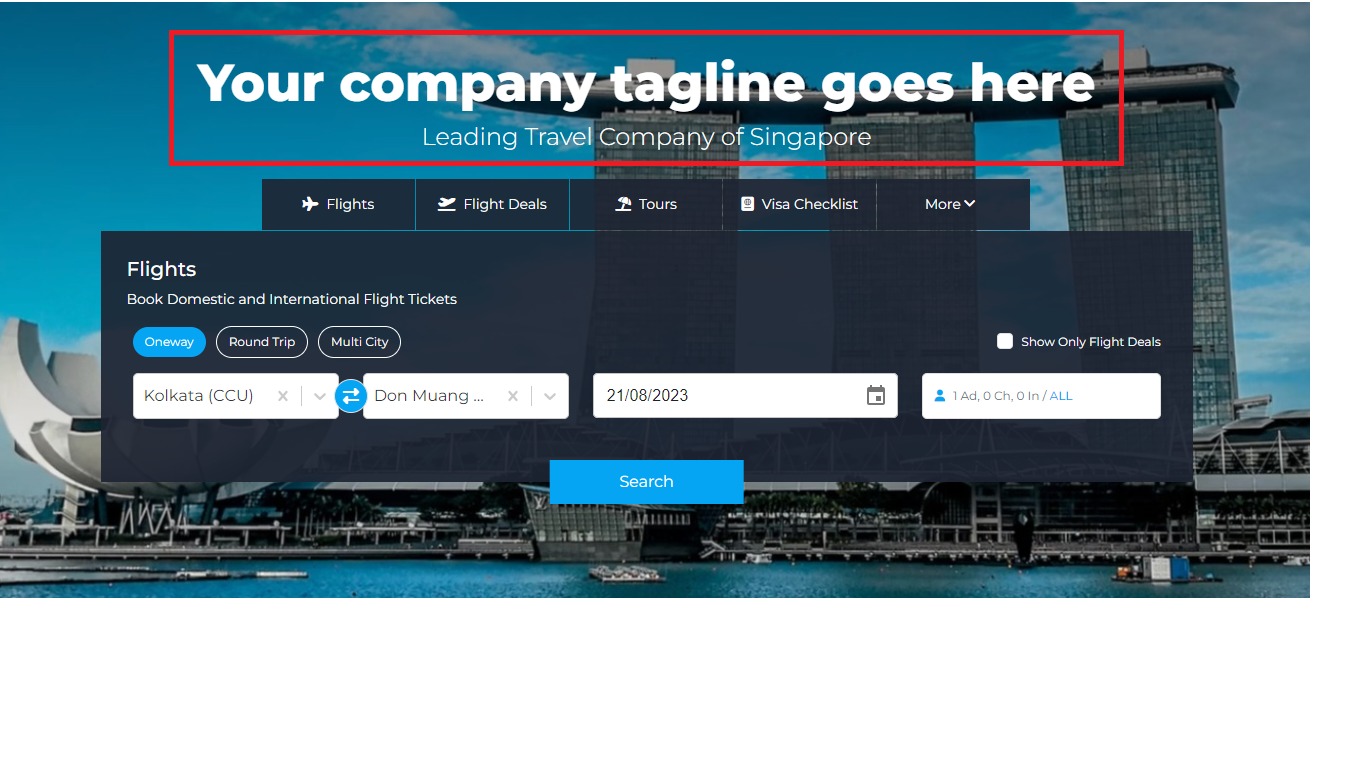
- About Us Image: This image will be visible on the left side of the about us.
Visible: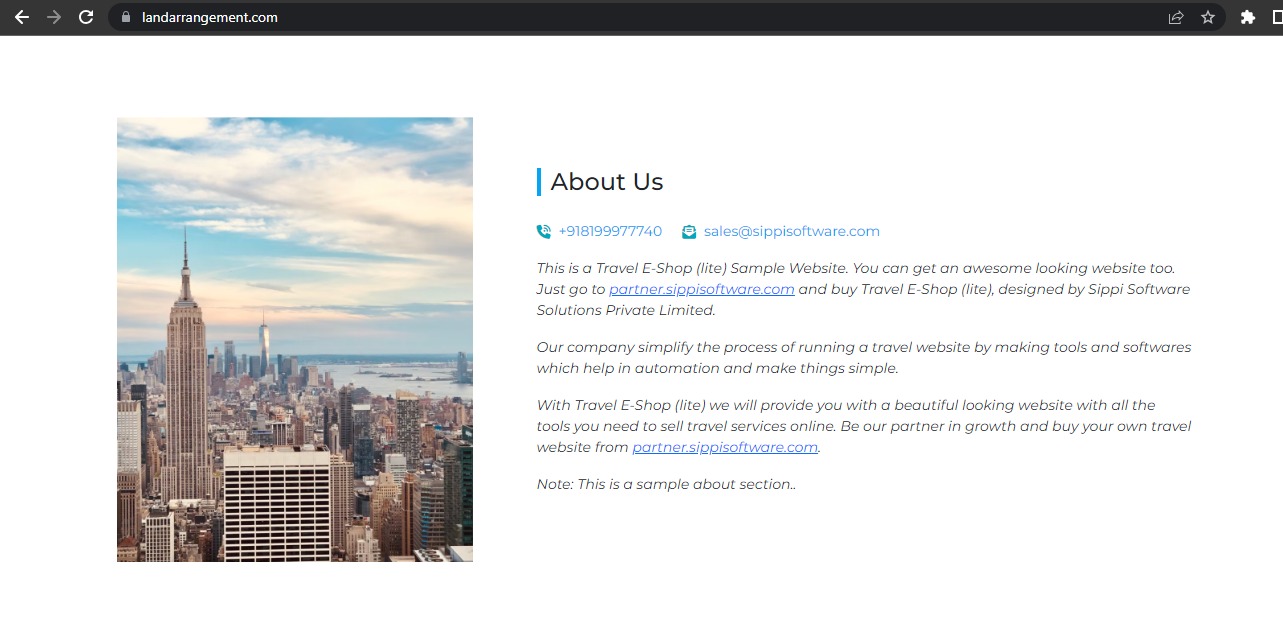
- Featured packages: You can add any 4 featured packages, that will be visible in front to the customers. These packages are the most selling or the best packages you provide.
- Banner images: You can add any four banner images, such as of any cheap package or any cheap ticket that you want to highlight.
- Footer links: You can add your social media links like Facebook, Instagram, youtube channel, your other website URL, etc so that your customer can go visit your other platforms also.
- About us: In this section, you can add details about your company.
- Address: You can add the address here, this address will be visible in the footer links of the website.
- B2b settings: If you want your website to be surfed by b2b only, you will enable b2b mode, if not then both b2b and b2c can sign up on your site.
- Theme: You can select the theme for your website, both primary and secondary colours.
- Marquee line: Add a marquee line to highlight the title on your site.
- Pop-up alert: you can set pop-up alerts.
- Flight settings: If you want your customer to see the prices without login then choose the option YES. Plus, if you want joint results for fixed departures and flights you can select the option both in flight search.
- Deduct TDS of B2B/API customers: If you have a TAN number and, want to deduct the TDS of travel agents, choose the option YES.
- Site module settings: You can off any of the modules which you don’t want to show on the site or you can arrange it in the order you wish by drag and drop method.