
Travelwebsite.in offers a broad platform where you and your customers can book flight tickets online hassle-free. You will be getting rates via Maya Travels for flights and can add a markup on that rates (refer to https://blog.travelwebsite.in/setting-markup-for-flights-and-flight-deals/). You can also manipulate the price on print after booking the ticket. The steps to do this are explained further.
# Ticket queue for flights:
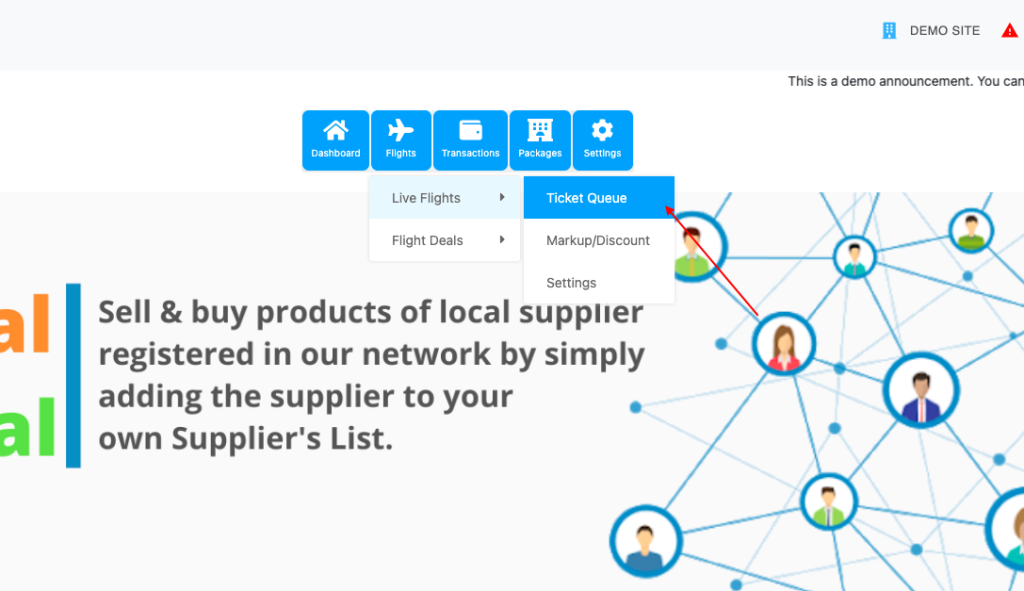
Admin login on your site > Dashboard > Flights > Live flights > Ticket queue.
All the flights booked from your website will be visible in this queue.
# Manipulating price on the print of flight ticket:
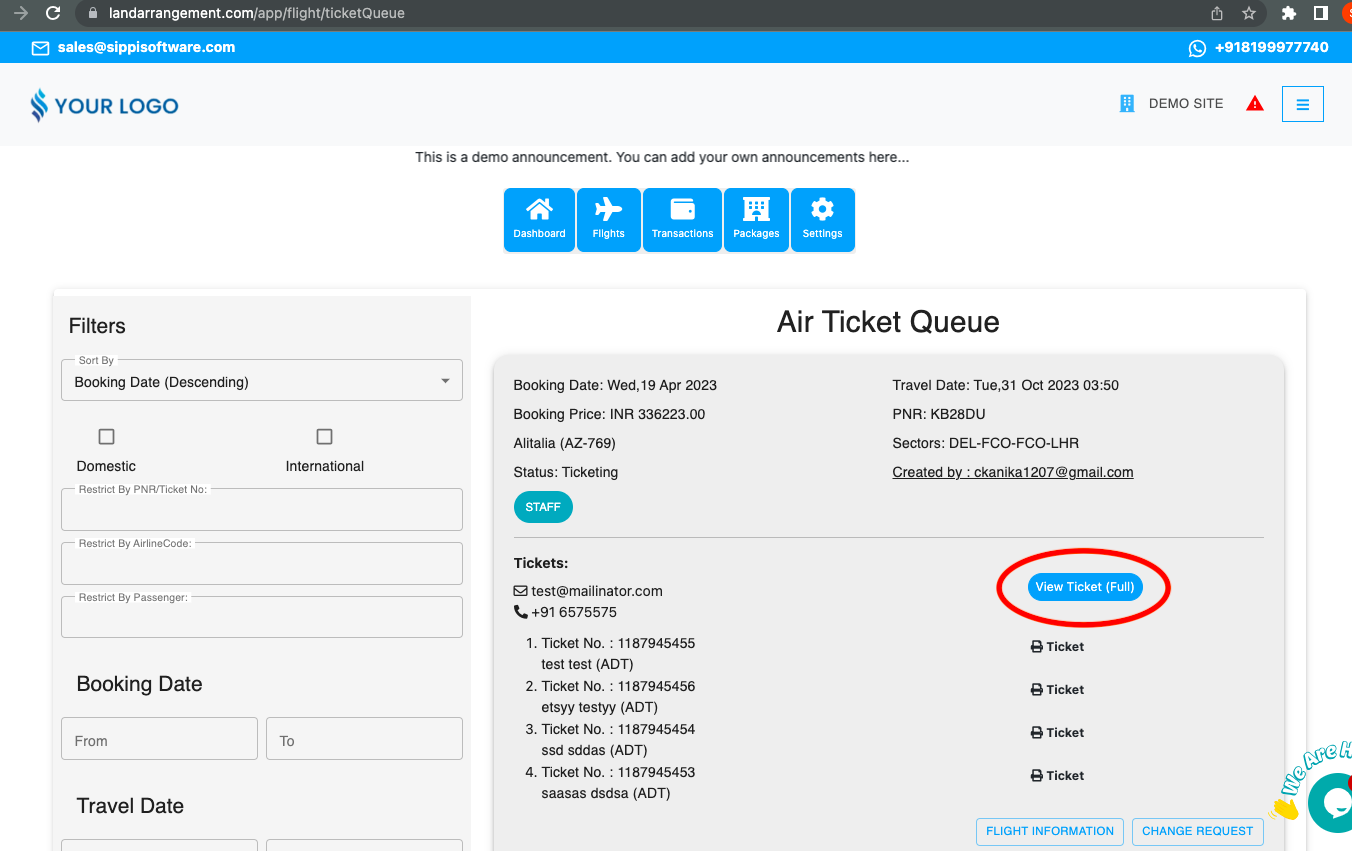
- Go to the live flight ticket queue.
- Click on ‘View ticket full’.
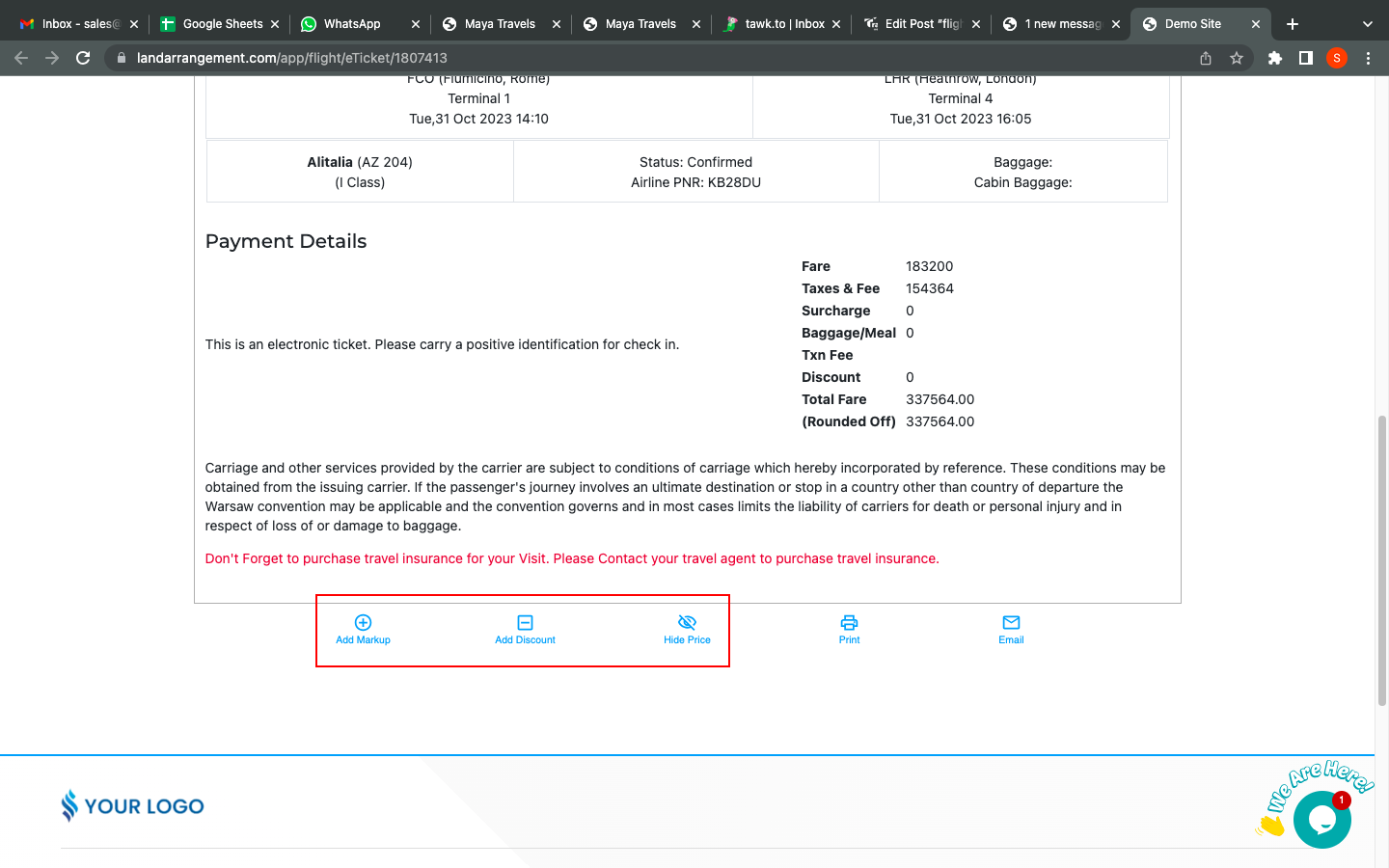
- Scroll down on ticket print, and you will see options to manipulate the price. Fill in as per your requirements and you will see the changes in the ticket print.
# How to send a request for cancellation/rescheduling to the supplier?
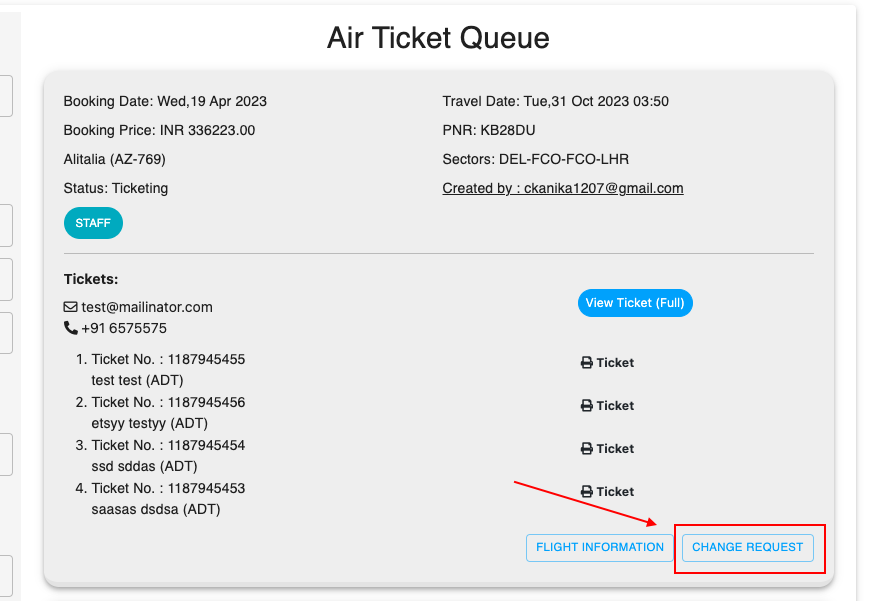
- Go to the ticket queue, and click on the ‘Change Request’ button.
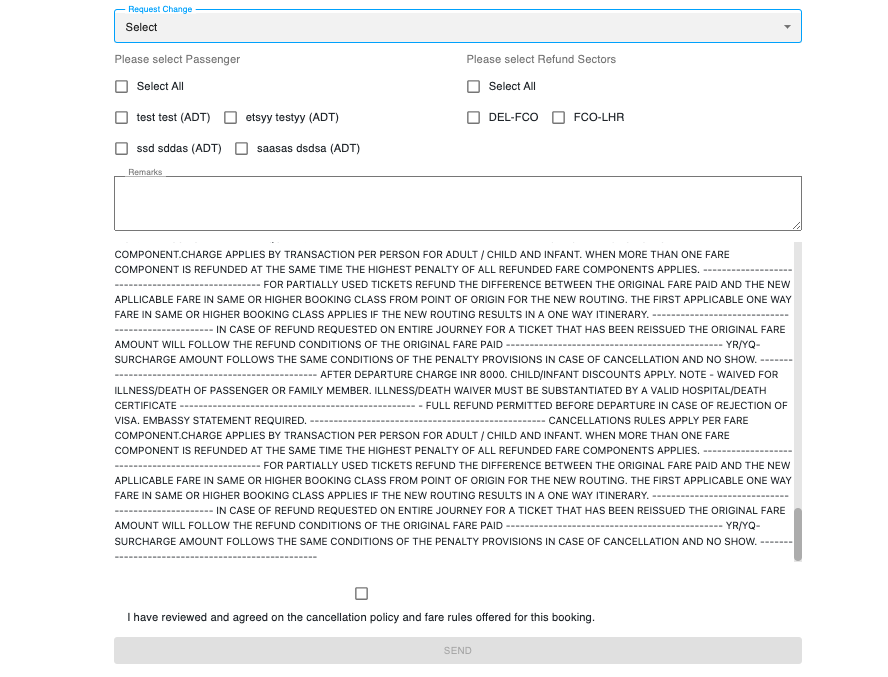
- This form will then appear. You need to fill it in as per your requirement and then click on send button in order to send the request to the supplier.
# Check fare rules of the flight:
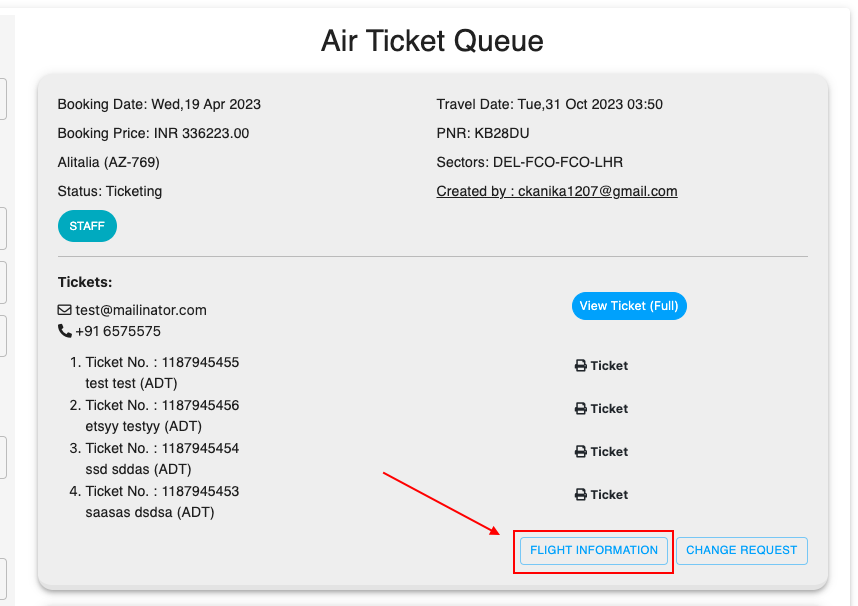
Go to ticket queue > Flight information button.
Here you can check the details of passengers and fare rules of your flight.