

The site’s admin is the person who manages it and has access to every nook and cranny of the site. He can perform the website settings, can add inventory on the site, manages the markup, check transactions, and many more. He can create multiple staff for the website.
It’s very simple to create admin/staff login, just follow the given steps:
- Go to partner.sippisoftware.com, then login.
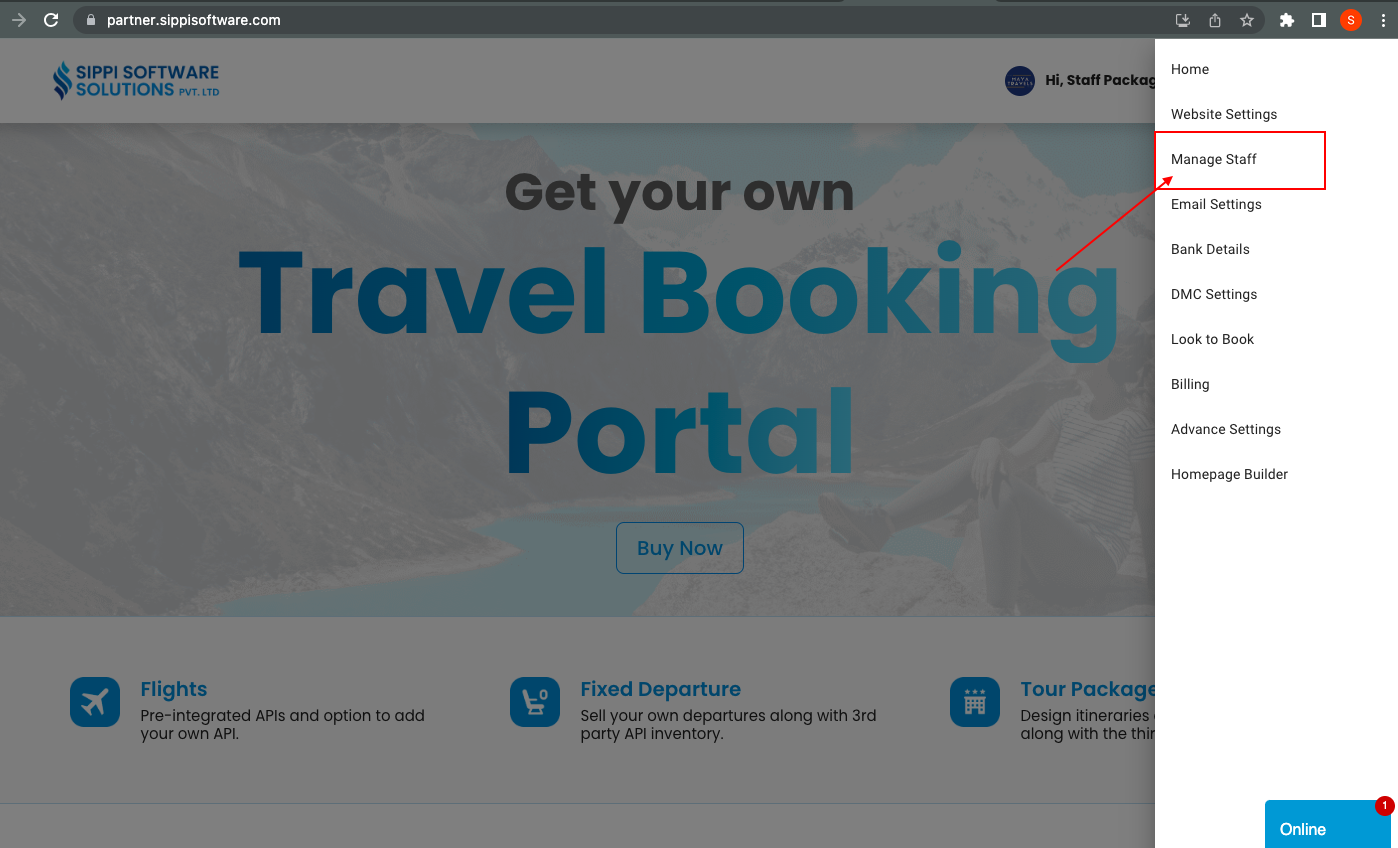
- Click on menu, then manage staff option.
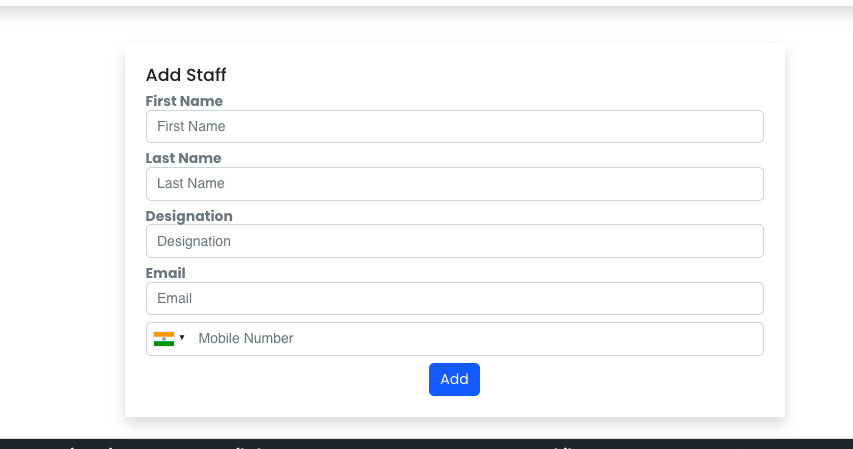
- Then, you need to fill the form with necessary details and click on Add. Once staff is added it will be visible below this form.
- You will get an email for generating the password, from that link you will be redirected to your website and after creating password you can login.
Similarly, you can create multiple staff from this same form.
Now, you are all ready to go to your website and follow the next steps to add suppliers to your site.