

Connecting your domain with our server using our IP Address.
Pointing a domain to an IP address of a server implies linking the domain name of a website (like xyztravels.com) to the corresponding server where the travel website is hosted so that users can access the website using the domain name.
If you have purchased your travel website from us (travelwebsite.in), and you have already purchased a domain and done the SSL settings in your Cloudflare panel then the next step is, connecting your domain to our server’s IP address.

If you haven’t purchased the domain, check out, https://blog.travelwebsite.in/how-to-buy-a-domain-for-your-travel-website/.
And for SSL settings look into, https://blog.travelwebsite.in/free-ssl-for-your-travel-website/
STEPS TO CONNECT THE DOMAIN USING OUR IP ADDRESS:
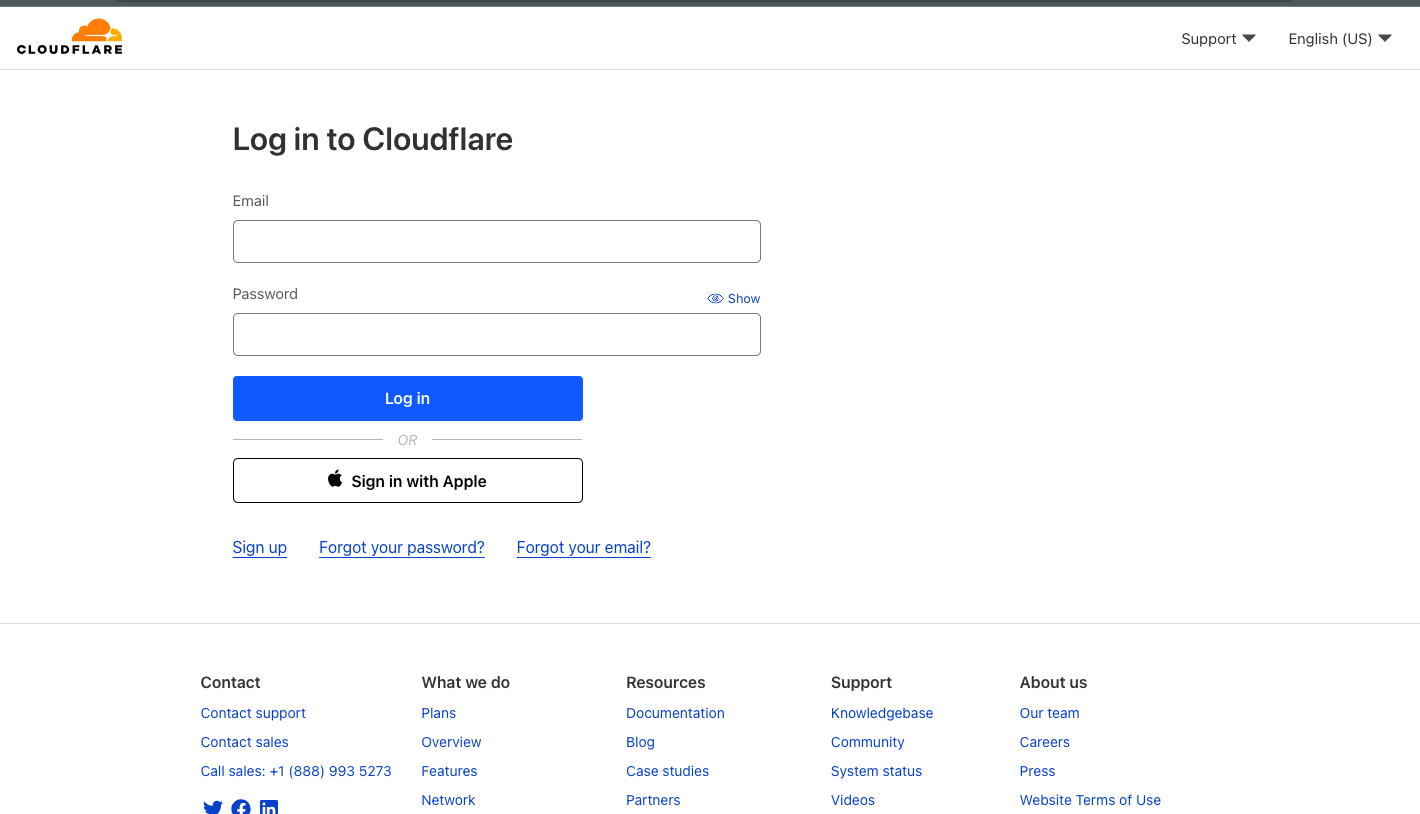
- Firstly, you need to log in to your account on Cloudflare that you created to update the nameservers. (https://dash.cloudflare.com/login)
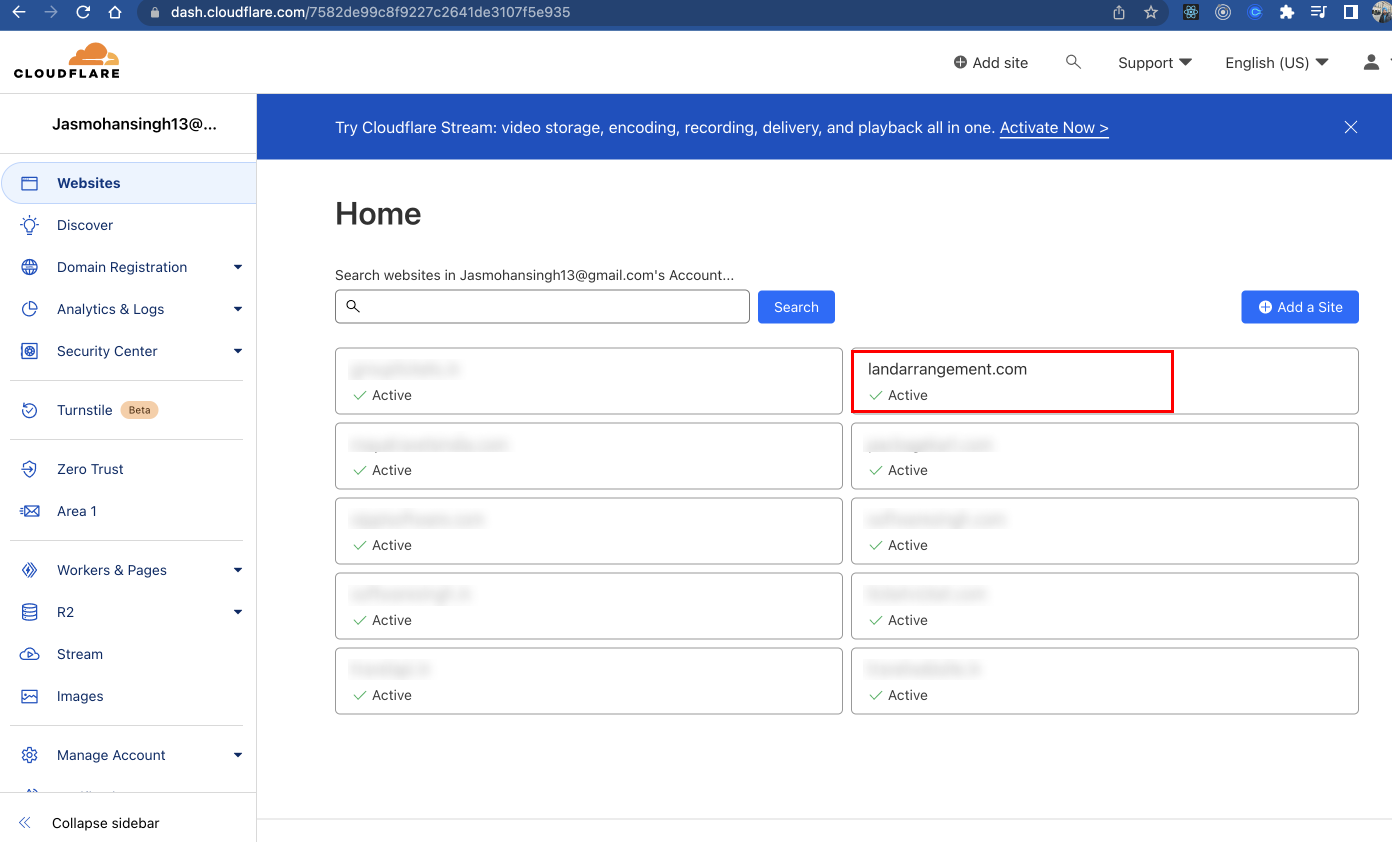
- The next step is to click on the website/domain name that you have already added in Cloudflare.
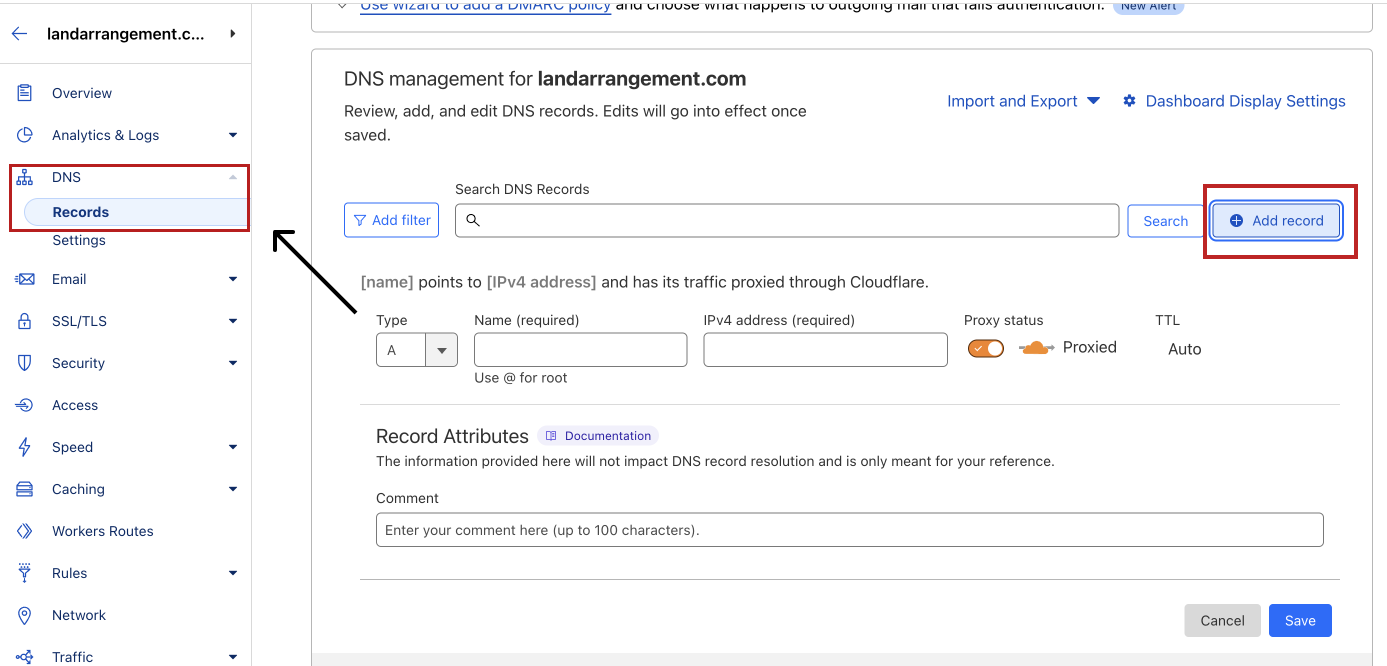
- Then find the DNS records option, and click on ADD RECORD.
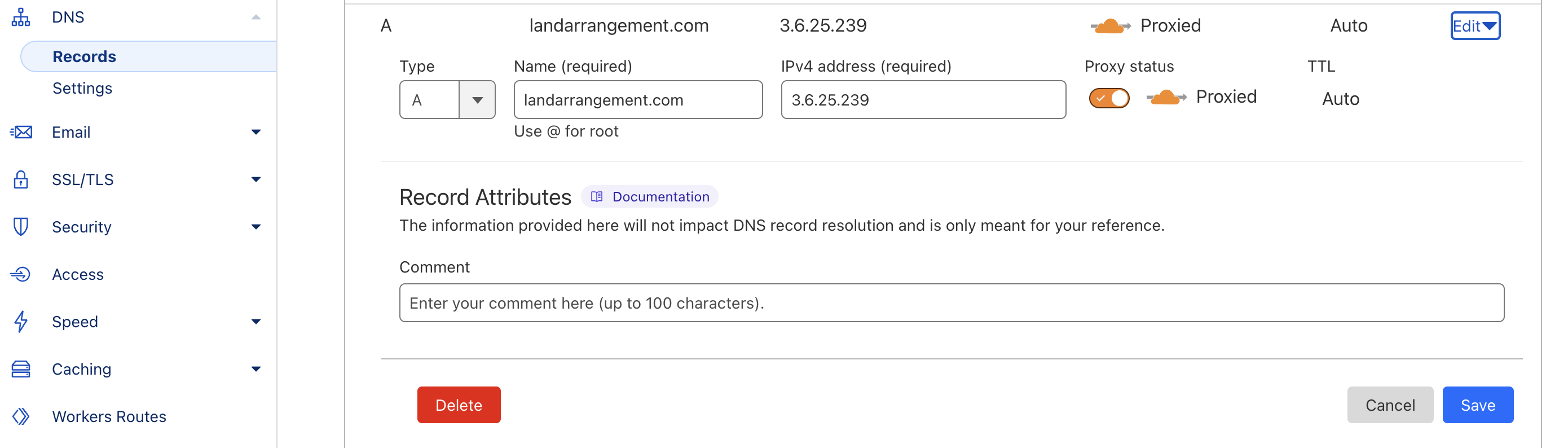
- After that, Create A name, @ (or your domain name), point it to IP address 3.6.25.239 and click on save.
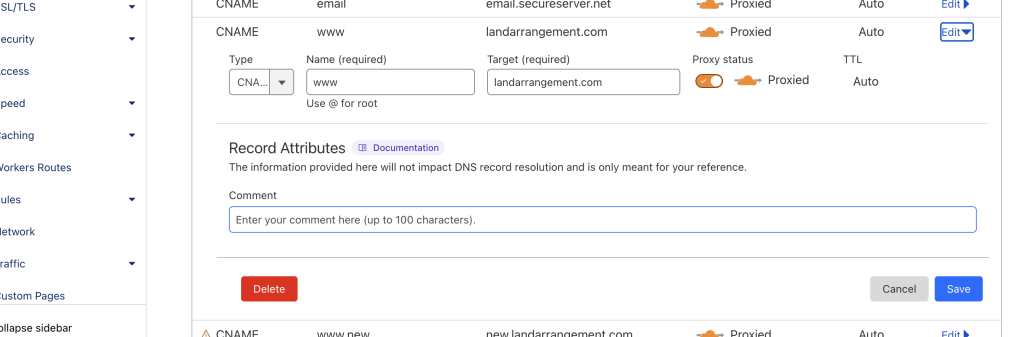
You also need to create a C name record for your website. The steps to create it are:
- Simply click on ADD RECORD button.
- Then select type as CNAME.
- Type www in the field Name.
- In the target required field add your domain name.
- Click on the save button to save the record.
After these steps, you are all done with pointing your IP and can follow your website’s next step of branding settings.