
Customize the markup on your website to match your preferences!

After adding a supplier, you will be getting live rates of flights and flight deals from API via Maya Travels. Your price will be determined by the rates displayed in your admin login, and you will now add a markup to that price. Markup may differ between customers depending on your selection. You have the option to create 5 markup groups and allocate your customers to any specific group. To illustrate, you have created two groups, A and B, with B being the default group. Groups A and B have a markup of 200 and 500 respectively. Customers in group A will be charged a 200 markup, while the rest will be charged a 500 markup.
Steps to add markup:-
1. Go to your site and log in with your admin account.
2. Click on the three-bar menu option, present in the top left corner of the homepage.
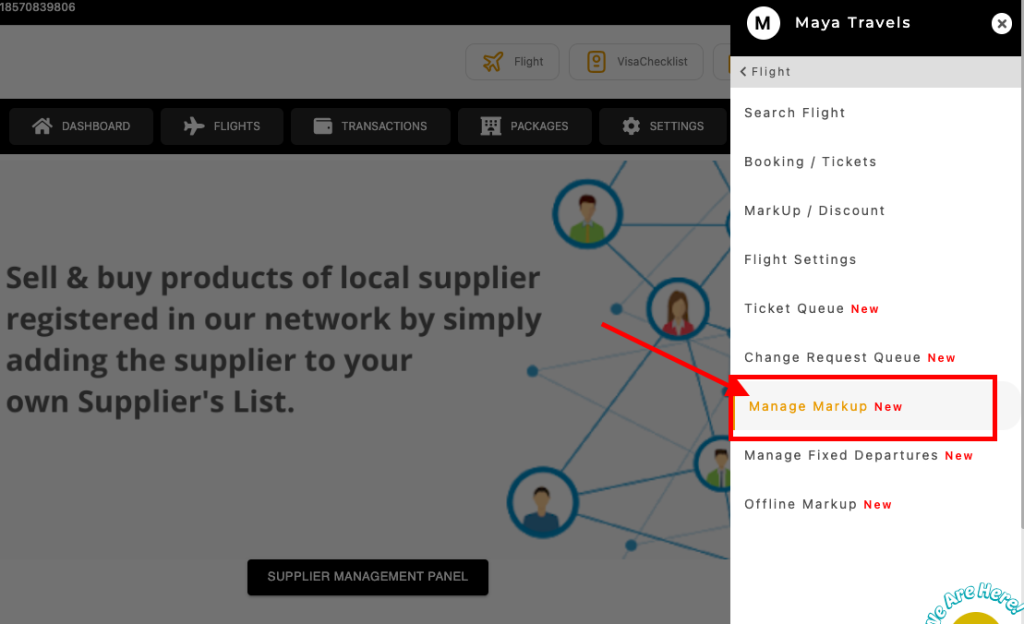
3. Go to flights, then MANAGE MARKUP (flashing with NEW on its side).
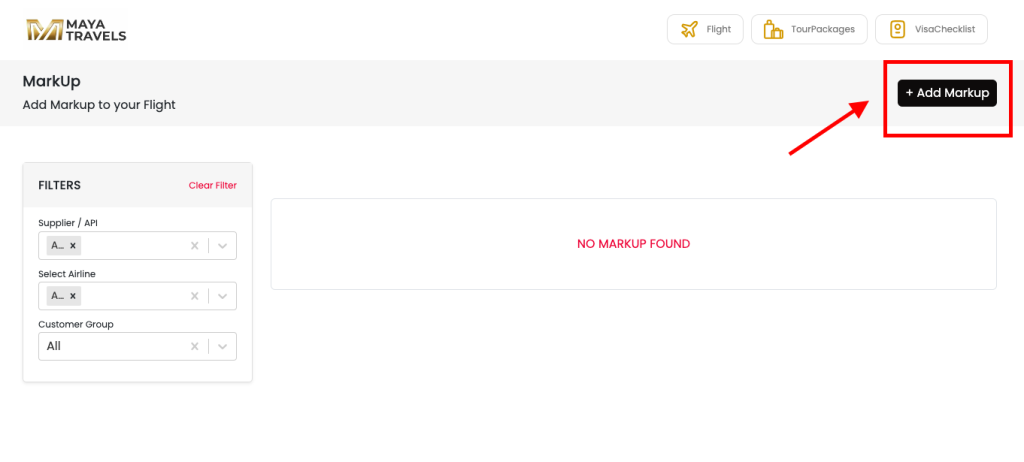
4. This screen will open as shown in the screenshot below. Click on the Add Markup button.
5. Simply enter the value as per your requirements, and click on CREATE.
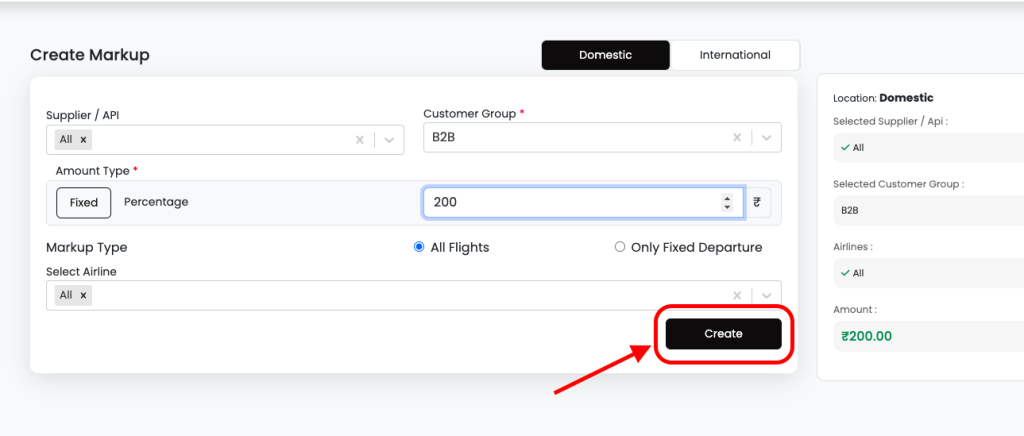
To add markup you have to choose customer group, domestic/international, supplier, and markup value and have to choose if you want this markup only on fixed departures or on all flights. (Live flights and flight deals)